Every time we create a new JavaScript project, we almost always have to assemble several tools at once: node for the runtime, npm for the package manager, Jest for testing, and Webpack or Vite for bundling. Each has its own configuration, and just installing dependencies can take a long time. Bun was created to cut through that complexity into a single toolchain. This article discusses what Bun is, its main features, how to use it in daily workflows, and considerations before fully migrating a project from Node.js.
1. What Is Bun and Why Was It Created
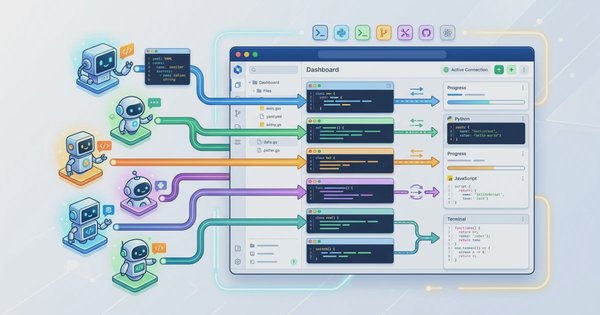
Bun is an all-in-one JavaScript runtime that combines four roles at once: code execution runtime, package manager, test runner, and bundler. Instead of installing node, npm, jest, and esbuild separately, we simply install a single binary named bun that comes with all those features built-in.
The problem Bun tries to solve is simple: modern JavaScript toolchains have too many moving parts. Sysadmins managing deployment servers often find that the npm install process consumes a significant amount of installation time in CI/CD pipelines, while developers have to wait for the bundler to re-process every time a file is saved. Bun attacks this problem from the architectural side, rather than just adding features on top of legacy tools.
1.1 Differences in Core Engine and Language
The most fundamental difference between Bun and other runtimes lies in the JavaScript engine used. Node.js and Deno use V8, Google's JavaScript engine that powers Chrome. Bun chose JavaScriptCore, the engine from WebKit that also powers Safari. JavaScriptCore is known for faster startup times and lower memory consumption for short-lived scripts, which is one of the reasons Bun feels agile when running CLI scripts or serverless functions.
The core itself is written in Zig, a low-level language focused on performance and memory control similar to C, but with more modern syntax. This combination of JavaScriptCore and Zig enables basic operations like file reading, system I/O calls, and package management to run more efficiently compared to V8-based runtimes that have more abstraction layers.
2. Key Features and Advantages of Bun
Besides being fast, the most noticeable advantage of Bun in daily work is the reduced number of dependencies and configurations that have to be managed manually.
2.1 Ready-to-Use Built-in Features
Bun natively supports TypeScript and React JSX without needing a manual transpilation process via tsc or babel beforehand. Simply run a .ts or .tsx file directly with bun run, and Bun will handle it behind the scenes.
.env files are also automatically loaded without needing to install the dotenv package. Variables inside are immediately available via process.env once the process starts. For networking and data, Bun brings built-in modern Web APIs like fetch, WebSocket, ReadableStream, and WebCrypto, allowing us to write code with a consistent syntax style both in the browser and on the server.
2.2 Features for Developer Experience
Bun distinguishes between two file-monitoring modes: --watch and --hot. The --watch mode performs a hard restart, meaning the entire process is stopped and restarted whenever a file changes. Conversely, --hot mode performs a soft reload: Bun updates the module cache in-memory without killing the process, allowing global state like database connections to persist. For HTTP servers requiring fast iterations during development, --hot is clearly more efficient as it doesn't rebuild connections every time code changes.
bun --watch server.ts   # full restart on every change
bun --hot server.ts     # reload module cache without process restart
Bun also brings native support for databases and storage, including SQLite via the bun:sqlite module and S3 integration, without requiring third-party drivers for basic needs.
2.3 Node.js Compatibility
Migrating legacy projects becomes more realistic because Bun implements most built-in Node.js APIs like fs, path, and process. Bun also continues to read the standard node_modules structure, so packages already installed via npm can generally be used without needing a fresh re-installation from scratch.
3. Development Workflow with Bun
This section covers the steps for installing Bun and how to use it in daily workflows, from running scripts to bundling.
3.1 Installing Bun
Bun is available as a single executable binary with no extra dependencies. Here are the official installation steps according to the Bun installation documentation:
- For macOS and Linux, run the following command in the terminal:
For Linux users specifically, make sure thecurl -fsSL https://bun.com/install | bashunzippackage is installed first (sudo apt install unzipon Ubuntu/Debian), as the Bun installer requires it to extract the binary. - For Windows (version 1809 and above), run via PowerShell:
WSL users can follow the Linux installation steps above since WSL runs a Linux kernel.powershell -c "irm bun.sh/install.ps1|iex" - Alternatively, Bun can also be installed using familiar package managers, such as
npm install -g bun,brew install oven-sh/bun/bunon macOS, orscoop install bunon Windows. - Verify the installation succeeded by checking the installed Bun version:
bun --version
3.2 Running Code Directly
One of Bun's biggest conveniences is being able to run .ts or .tsx files directly without a separate build process:
bun run index.tsBun handles TypeScript transpilation on-the-fly within its execution process, so there are no compiled .js files to manage manually during development.
3.3 Single-Command Ecosystem
Because Bun handles multiple roles, almost all project requirements can be fulfilled through the same command-line interface:
- Running scripts:
bun run index.ts - Package management:
bun installto install all dependencies, orbun add <package>to add a new package - Testing:
bun testto run the built-in test runner - Bundling:
bun buildto bundle code ready for production
4. Command Mapping from npm to Bun
For developers accustomed to npm, transitioning to Bun is straightforward because most commands have direct equivalents. The following table serves as a quick reference when migrating:
| Operation | npm Command | Bun Command |
|---|---|---|
| Install all packages | npm install | bun install |
| Add package | npm install <pkg> | bun add <pkg> |
| Add dev package | npm install -D <pkg> | bun add -d <pkg> |
| Remove package | npm uninstall <pkg> | bun remove <pkg> |
| Run script | npm run dev | bun run dev (or bun dev) |
| Run executable | npx <command> | bunx <command> |
| Run tests | npx jest / npm test | bun test |
5. Bun Performance vs Node.js and Deno
Bun's performance claims most frequently appear in two areas: package manager speed and script execution speed.
5.1 Package Manager Speed
Bun leverages a global cache at the system level and calls low-level system calls for file operations, making dependency installation via bun install significantly faster than npm install on projects with many packages. According to official Bun documentation, running scripts via bun run is recorded to be roughly 28 times faster than npm run in terms of startup overhead (approximately 6ms compared to 170ms). The exact numbers still depend on project size, number of dependencies, and local machine cache status, so it's advisable to perform your own benchmarks before relying on them as absolute metrics for production server capacity.
5.2 HTTP Server Throughput
For backend needs, Bun provides Bun.serve() as a built-in API to create an HTTP server without additional frameworks. Several community benchmarks show Bun.serve() capable of handling a higher number of requests per second compared to Express.js on Node.js, especially for simple I/O workloads. However, such benchmark results are highly sensitive to hardware configurations and test scenarios, so they should be viewed as directional trends rather than universal figures applicable to all cases.
5.3 Startup Time and Bundling
The combination of JavaScriptCore and Zig gives Bun fast startup times, an advantage that is particularly significant in serverless architectures where every cold start adds real latency for end users. On the bundling side, bun build is also designed to compete with tools like esbuild and Vite, relying on high-performance native implementations rather than pure JavaScript.
6. Industry Adoption of Bun
The maturity of a new runtime is often measured by who dares to use it in production, rather than just in experimental projects.
6.1 Companies and Startups Using Bun
Anthropic uses Bun to wrap their modern CLI tooling, including Claude Code. Midjourney leverages Bun to handle large volumes of image notifications via WebSocket servers. Deployment platforms like Railway and Vercel provide native support for running Bun-based serverless runtimes, while Cursor adopted Bun to speed up their internal development toolchain.
6.2 Frameworks Supporting Bun
Frameworks built specifically with Bun as their primary target have also emerged, such as Elysia.js and Hono, both known for extremely fast micro-benchmark results for lightweight web applications. On the other hand, popular frameworks previously synonymous with Node.js such as Next.js, Nuxt, Astro, SvelteKit, and Remix also offer support to run on Bun, extending even to non-JavaScript ecosystems like Laravel Sail and Ruby on Rails which use Bun to manage frontend assets.
7. When to Use Bun
The decision to use Bun should be evaluated based on the type of project, rather than just following trends.
7.1 Suitable Use Cases
Bun is best suited for internal CLI scripts, high-performance microservices, serverless applications sensitive to cold start times, and new TypeScript projects not yet bound to legacy dependencies. In these scenarios, you can immediately leverage Bun's startup speed and toolchain simplicity without running into major compatibility hurdles.
7.2 Challenges in Legacy Projects
For legacy codebases that have been running on Node.js for a long time, migrating to Bun requires extra caution. The most common issues arise from dependencies that use C++ based native addons (built via node-gyp), as not all such addons are automatically compatible with Bun's implementation. Sysadmins and dev teams should test every critical dependency in a staging environment first before deciding on a full production migration.
8. Conclusion
Bun takes a different approach to managing modern JavaScript toolchain complexity: a single binary, a single command-line interface to run code, manage packages, test, and bundle. The combination of the JavaScriptCore engine and a Zig-based core implementation makes it excel in startup speed and package manager efficiency, while increasingly complete Node.js API support makes gradual migration more realistic than a few years ago.
Even so, Bun is not an automatic replacement for all cases. New TypeScript-based projects, CLI scripts, or serverless services are the safest places to start testing it out. For legacy codebases with many native addons, the wisest approach is to test critical dependencies one by one in a staging environment before committing to a full production migration.