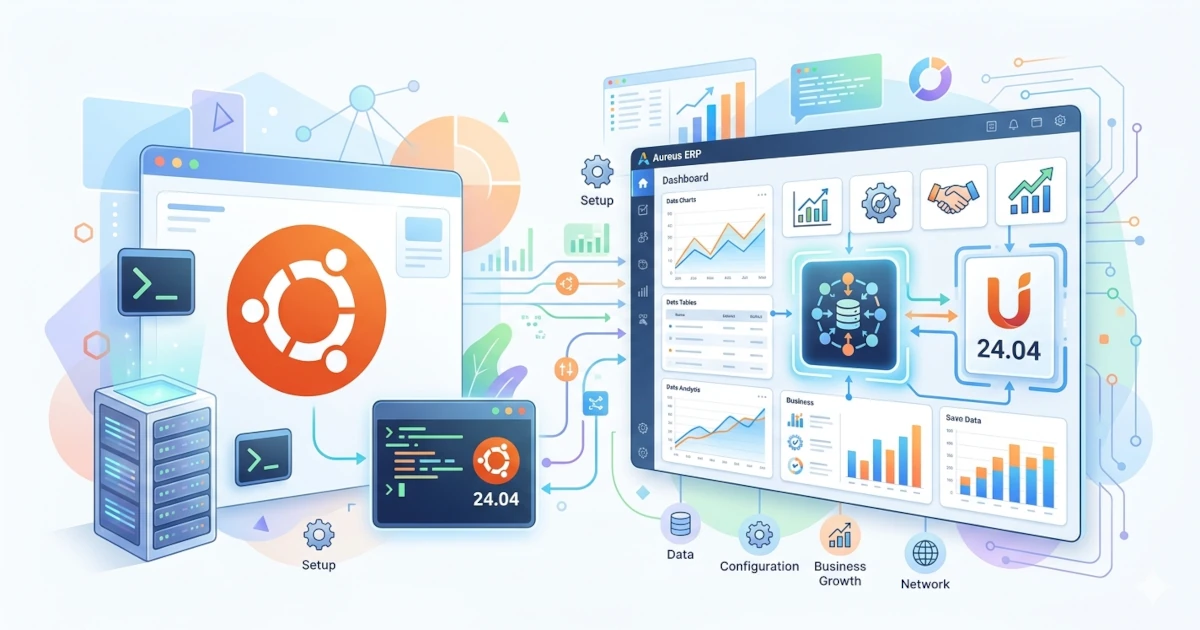
Aureus ERP is an open-source Enterprise Resource Planning (ERP) system built with Laravel and FilamentPHP. This platform is designed to help small, medium, and large businesses manage various operational aspects such as finance, human resources (HR), inventory, and customer relationship management (CRM), all within a single, integrated system.
Aureus ERP combines the power of modern technology with high flexibility. It is built on Laravel, a PHP framework renowned for its security and scalability, and uses FilamentPHP to provide a dynamic, customizable admin interface. Additionally, the use of TailwindCSS ensures that Aureus ERP’s interface remains responsive, lightweight, and professional.
With its open and modular architecture, users can easily add or remove modules according to business needs. This makes Aureus ERP ideal for long-term development, whether for internal use or as a white-label ERP solution for clients.
In this tutorial, we will cover the complete steps to install Aureus ERP on Ubuntu 24.04.
System Requirements
Before installing Aureus ERP on Ubuntu 24.04, ensure your server meets the following minimum configuration. These requirements are crucial for system stability, security, and performance, both in development and production environments.
| Component | Minimum / Recommended Requirements |
|---|---|
| Web Server | Apache 2 or NGINX |
| RAM | 4 GB or more |
| Node.js & NPM | Latest stable version |
| PHP | Version 8.2 or higher (8.4 recommended on Ubuntu 24.04) |
| Laravel Framework | Version 11.x |
| FilamentPHP | Version 3.x |
| Composer | Latest version |
| Database | MySQL 8.0+ or SQLite |
| Client Browser | Modern browsers such as Chrome, Firefox, or Edge |
Note: The combination of NGINX + PHP-FPM + MySQL 8.0 generally provides the best performance for production deployments.
Get $25 DigitalOcean Credit
Claim $25 CreditRequired PHP Extensions
Ensure the following PHP extensions are installed and enabled. You can verify them with the command:
php -mor by creating a phpinfo() file in your web server directory.
| Extension | Purpose |
|---|---|
| php-intl | Required for internationalization and localization support |
| php-gd | Required for image processing and manipulation |
| openssl, pdo, mbstring, tokenizer, xml, ctype, json | Core extensions required by Laravel and FilamentPHP |
PHP Configuration (php.ini)
Adjust your PHP configuration file for optimal Aureus ERP performance.
Typical locations:
- /etc/php/8.4/fpm/php.ini untuk PHP-FPM (NGINX)
- /etc/php/8.4/apache2/php.ini untuk Apache
Add or modify the following lines:
memory_limit = 4G
max_execution_time = 360
date.timezone = Asia/Jakarta
Replace Asia/Jakarta with your local timezone (see PHP Supported Timezones).
Supported Databases
Aureus ERP supports the following database systems:
| Database | Recommendation |
|---|---|
| MySQL 8.0+ | Recommended for optimal performance and stability |
| SQLite | Lightweight alternative for local testing or simple deployments |
Use the utf8mb4_unicode_ci collation for full Unicode and multilingual support:
CREATE DATABASE aureus CHARACTER SET utf8mb4 COLLATE utf8mb4_unicode_ci;With your environment ready, you can proceed to install dependencies and the Aureus ERP system.
Installing Dependencies
Update Ubuntu packages:
sudo apt update
sudo apt upgrade -y
Add PPA repositories for NGINX and PHP 8.4:
sudo add-apt-repository ppa:ondrej/nginx -y
sudo add-apt-repository ppa:ondrej/php -y
Install NGINX and Certbot:
sudo apt install nginx python3-certbot-nginx -yInstall PHP 8.4 and required extensions:
sudo apt install php8.4 php8.4-fpm php8.4-cli php8.4-common php8.4-mysql \
php8.4-xml php8.4-mbstring php8.4-bcmath php8.4-curl php8.4-gd php8.4-intl php8.4-zip unzip curl -y
Install Composer:
sudo wget https://getcomposer.org/download/latest-stable/composer.phar
sudo chmod +x composer.phar
sudo mv composer.phar /usr/local/bin/composer
Verify:
composer -VInstall MySQL 8.4:
wget https://dev.mysql.com/get/mysql-apt-config_0.8.35-1_all.deb
sudo dpkg -i mysql-apt-config_0.8.35-1_all.deb
sudo apt update
sudo apt install mysql-server -y
Login to MySQL:
sudo mysql -u root -pCreate a database:
CREATE DATABASE aureus CHARACTER SET utf8mb4 COLLATE utf8mb4_unicode_ci;
CREATE USER 'aureususer'@'localhost' IDENTIFIED BY 'StrongSecretPassword!';
GRANT ALL PRIVILEGES ON aureus.* TO 'aureususer'@'localhost';
FLUSH PRIVILEGES;
exit
Installing Aureus ERP
Install Git and clone the repository:
sudo apt install git -y
git clone https://github.com/aureuserp/aureuserp.git
Copy and edit the environment file:
cd aureuserpModify database settings:
cp .env.example .env
nano .env
Install PHP dependencies:
DB_CONNECTION=mysql
DB_HOST=127.0.0.1
DB_PORT=3306
DB_DATABASE=aureus
DB_USERNAME=aureususer
DB_PASSWORD=StrongSecretPassword!
Install PHP dependencies:
composer installCreate a new project:
composer create-projectRun Aureus ERP installation:
php artisan erp:installStart development server:
php artisan serve --host=0.0.0.0 --port=8000Access via browser:
http://<your-server-ip>:8000After logging in, click “Sync Available Plugins” to load available modules.
Aureus ERP Plugins
Aureus ERP is built on a modular plugin-based architecture, allowing for flexible feature management and customization.
Advantages of Plugin Architecture
- Customizable: Easily add or modify plugins without affecting the core system.
- Maintainable: Each module is self-contained with its own logic and dependencies.
- Scalable: Suitable for both small and large enterprises.
- Isolated: Bugs in one plugin do not affect others.
Plugins are located in:
plugins/webkul/Installing Plugins
To install a plugin:
php artisan <plugin-name>:installExample:
php artisan employees:install
php artisan projects:install
Or use the Plugins menu in the dashboard.
Available Plugins:
| Plugin | Description |
|---|---|
| Accounts | Financial accounting and reporting |
| Blogs | Blog management |
| Contacts | Customer and vendor contact management |
| Employees | Employee management |
| Inventory | Stock and warehouse management |
| Invoices | Invoice creation and management |
| Payments | Payment tracking |
| Products | Product catalog management |
| Projects | Project planning and management |
| Purchases | Procurement and purchase order handling |
| Recruitments | Applicant tracking and hiring |
| Sales | Sales pipeline and opportunity management |
| Timeoffs | Employee leave management |
| Timesheet | Work hour tracking |
| Website | Customer-facing website module |
Deployment with NGINX and SSL (Production Mode)
Edit .env file:
APP_NAME="ERP Bitnesia"
APP_ENV=production
APP_DEBUG=false
APP_TIMEZONE=Asia/Jakarta
APP_URL=https://erp.bitnesia.com
Move directory to web root:
sudo mv aureuserp /var/wwwSet permissions:
sudo chown -R www-data:www-data /var/www/aureuserp
sudo chmod -R 755 /var/www/aureuserp
Create NGINX configuration file:
sudo nano /etc/nginx/sites-available/erp.bitnesia.com.confAdd:
server {
  listen 80;
  server_name erp.bitnesia.com;
  root /var/www/aureuserp/public;

  index index.php;

  location / {
    try_files $uri $uri/ /index.php?$query_string;
  }

  location ~ \.php$ {
    try_files $fastcgi_script_name =404;
    include fastcgi_params;
    fastcgi_pass    unix:/var/run/php/php8.4-fpm.sock;
    fastcgi_index   index.php;
    fastcgi_param DOCUMENT_ROOT    $realpath_root;
    fastcgi_param SCRIPT_FILENAME $realpath_root$fastcgi_script_name;
  }

  access_log /var/log/nginx/erp.bitnesia.com_access.log;
  error_log /var/log/nginx/erp.bitnesia_error.log;
}
Enable the configuration and restart NGINX:
sudo ln -s /etc/nginx/sites-available/erp.bitnesia.com.conf /etc/nginx/sites-enabled/
sudo systemctl restart nginx
Your ERP is now accessible at: http://erp.bitnesia.com
Enable SSL with Let’s Encrypt
sudo certbot --non-interactive \
-m [email protected] \
--agree-tos \
--no-eff-email \
--nginx -d erp.bitnesia.com \
--redirect
Now, your system is accessible securely via: https://erp.bitnesia.com
Conclusion
By following the above steps, you have successfully deployed Aureus ERP on Ubuntu 24.04 in production mode using NGINX and Let’s Encrypt SSL. This system provides a modular plugin-based architecture that simplifies development, integration, and scalability to meet any business requirement.
With Laravel 11, FilamentPHP 3, PHP 8.4, and MySQL 8.4, Aureus ERP delivers robust performance and reliable security making it an excellent open-source ERP solution for modern enterprises. Its flexibility empowers developers and organizations to tailor each module according to unique operational workflows.