
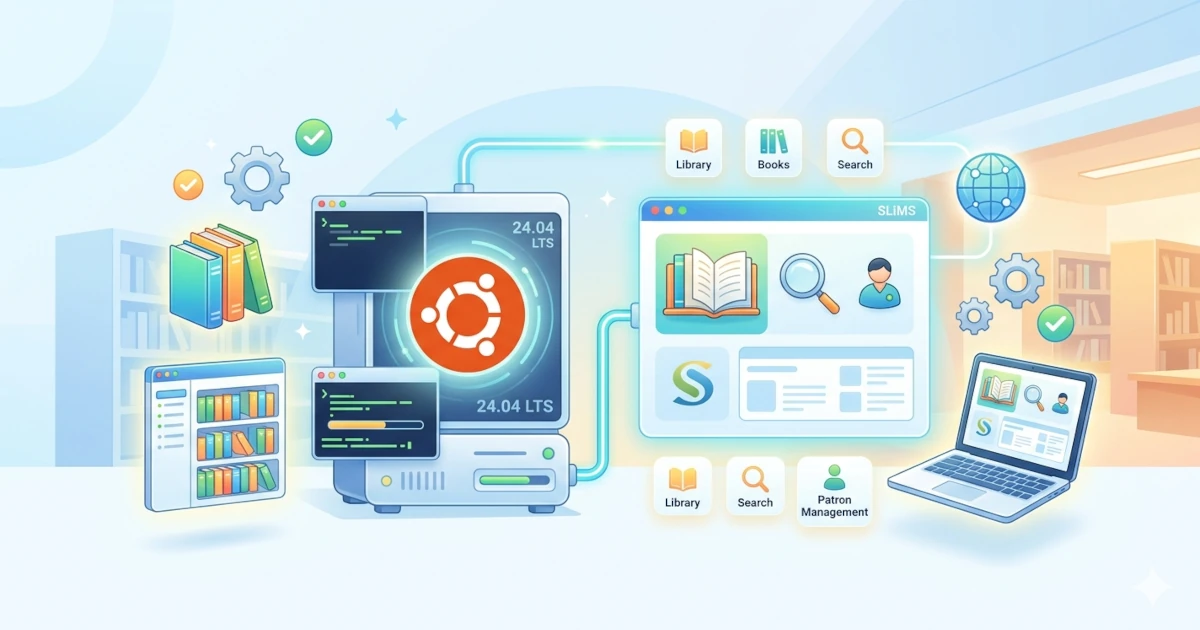
Library management is not only about storing and lending books, but also involves organizing collection metadata, managing members, tracking transactions, and providing an online catalog that is easily accessible to patrons. As library needs continue to grow, having a functional, stable, and flexible management system becomes essential for adoption across schools, universities, communities, government institutions, and private organizations. In response to these needs, open-source Library Management System platforms such as SLiMS offer a combination of ease of use, comprehensive features, and extensibility, making them a popular choice among library administrators in Indonesia and around the world.
What is SLiMS?
SLiMS (Senayan Library Management System) is a web-based, open-source library management software developed by the Library of the Ministry of Education and Culture of the Republic of Indonesia. It is designed to be easy to use, flexible, and deployable across libraries of various scales. SLiMS provides comprehensive features for collection management, circulation services, membership administration, and public catalog access, supported by a large and active community.
SLiMS Features
- OPAC (Online Public Access Catalog): Provides a public catalog with book cover thumbnails and both simple and advanced search modes.
- Digital collection and attachments support: Supports storage of various digital content types (PDF, documents, multimedia, audio/video, etc.) as attachments to bibliographic records.
- Metadata formats and interoperability: Collection details are available in MODS XML and JSON-LD with schema.org, enabling standardized data integration and exchange.
- Bibliography and master reference management: Efficiently manages bibliographic data and reference data such as publishers, authors, collection types, locations, and suppliers.
- Collection circulation: Provides modules for borrowing, returning, reservations, flexible loan rules, and handling overdue items and fines.
- Membership and inventory management: Manages member data including photos, along with inventory (stock taking) features.
- Serial publications management: Supports journals, magazines, and other periodicals.
- Reports and statistics: Offers structured reports and statistics on collections, circulation, members, and overall library activities.
- Multi-language interface: Supports multiple languages, including non-Latin scripts, with interface options such as Indonesian, English, Spanish, Arabic, German, Bengali, Thai, and more.
- Modular and flexible: Supports plugins, custom themes, automatic barcode printing, backup and restore, and user access control.
SLiMS Installation
System Requirements
Minimum requirements:
- Web server: Apache or Nginx
- PHP: version 8.3
- Database: MariaDB/MySQL
- Extensions:
mbstring,gd,xml,curl,intl,zip,yaz - RAM: minimum 1 GB (recommended 2 GB or more)
Limited Time: Vultr Is Giving Away $300 Credits
Grab $300 NowServer Preparation
This tutorial uses Ubuntu. Update the system first:
sudo apt update
sudo apt upgrade -y
Install Apache and certbot:
sudo apt install apache2 certbot python3-certbot-apache -yInstall MariaDB:
sudo apt install mariadb-server -yAdd PHP PPA repository:
sudo add-apt-repository ppa:ondrej/php -y
sudo apt upgrade -y
Install PHP 8.3 and required extensions:
sudo apt install libapache2-mod-php8.3 php8.3 php8.3-cli \
php8.3-common php8.3-mbstring php8.3-gd php8.3-intl \
php8.3-xml php8.3-mysql php8.3-zip php8.3-curl \
php8.3-tidy php8.3-imagick php8.3-bcmath php8.3-dev \
php-pear libyaz-dev yaz -y
Install YAZ extension:
sudo pecl install yazExample output:
...
Build process completed successfully
Installing '/usr/lib/php/20230831/yaz.so'
install ok: channel://pecl.php.net/yaz-1.2.4
configuration option "php_ini" is not set to php.ini location
You should add "extension=yaz.so" to php.ini
Open php.ini configuration:
sudo nano /etc/php/8.3/apache2/php.iniAdd:
extension=yaz.soRestart Apache:
sudo systemctl restart apache2Create Database
Log in to MariaDB:
sudo mysqlCreate database and user:
CREATE DATABASE slims;
CREATE USER 'slims'@'localhost' IDENTIFIED BY 'strongpassword';
GRANT ALL PRIVILEGES ON slims.* TO 'slims'@'localhost';
FLUSH PRIVILEGES;
exit
Apache Configuration
Create an Apache virtual host configuration for slims.domain.tld:
sudo nano /etc/apache2/sites-available/slims.domain.tld.confInsert the configuration:
<VirtualHost *:80>
    ServerName slims.domain.tld
    DocumentRoot /var/www/slims.domain.tld

    <Directory /var/www/slims.domain.tld>
        Options -Indexes +FollowSymLinks +MultiViews
        AllowOverride All
        Require all granted
    </Directory>

    ErrorLog /var/log/apache2/slims.domain.tld_error.log
    CustomLog /var/log/apache2/slims.domain.tld_requests.log combined
</VirtualHost>
Enable the configuration:
sudo a2ensite slims.domain.tld
sudo systemctl restart apache2
Install Let's Encrypt SSL:
sudo certbot --non-interactive \
-m [email protected] \
--agree-tos \
--no-eff-email \
--apache -d slims.domain.tld \
--redirect
Install SLiMS
Download SLiMS from GitHub:
wget https://github.com/slims/slims9_bulian/releases/download/v9.7.2/slims9_bulian-9.7.2.tar.gzExtract the archive:
tar xzvf slims9_bulian-9.7.2.tar.gzMove the directory:
sudo mv slims9_bulian-9.7.2 /var/www/slims.domain.tldSet directory ownership:
sudo chown -R www-data:www-data /var/www/slims.domain.tldContinue installation via web browser by accessing https://slims.domain.tld:
- Click Get Started
- Ensure requirements are met → Next
- Click Install SLiMS
- Enter database credentials → Test Connection → Connection OK
- Select Generate Sample Data → Yes
- Create admin account
- Click Run the installation
Remove the installation directory:
sudo rm -rf /var/www/slims.domain.tld/installSLiMS installation is complete.
- Admin:
https://slims.domain.tld/index.php?p=login - Member:
https://slims.domain.tld/index.php?p=member
Conclusion
SLiMS is a powerful, flexible, and cost-free Library Management System, making it highly suitable for educational institutions, government agencies, communities, and other organizations that require a professional system without licensing costs. With its comprehensive features and strong community support, SLiMS can meet the needs of both small and large-scale libraries, and it is easy to deploy using a step-by-step guide like the one provided in this article.