
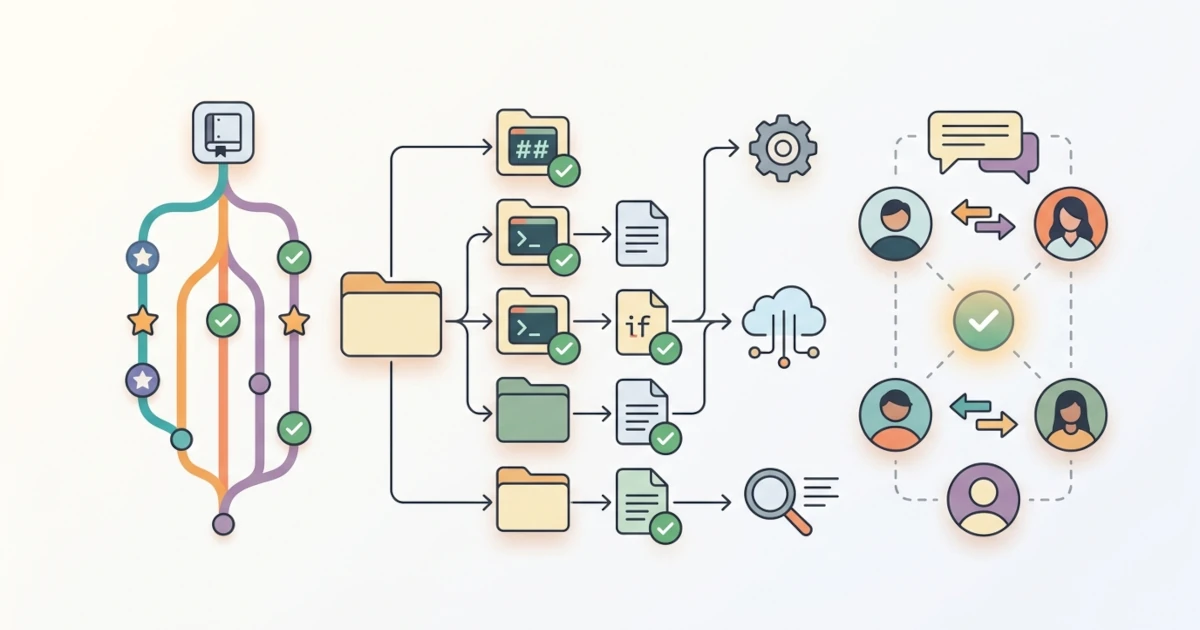
Chapter 8 postponed discussing the source mechanism with a promise of "discussed further in Chapter 26", and Chapter 25.3.2 reiterated that promise more specifically: the new error() and die() functions written there were called "ideal candidates to be moved into a shared lib.sh file... instead of being copied manually into every new script, an organizational pattern discussed further in Chapter 26.1". Chapter 25.1.1 went even further, mentioning that PS4 customization is useful "for scripts already split into multiple files via source (the topic of Chapter 26.1)". Meanwhile, the log() function first introduced in Chapter 19.2.2 was quietly copied four times across different scripts: identical in dashboard-server.sh (Chapter 19.4.2) and alert-notifikasi.sh (Chapter 20.4.2), then shifting in format within deploy.sh (Chapter 21.3.2) and deploy-pipeline.sh (Chapter 21.4.2) which used tee -a without any level parameter at all. This chapter fulfills all those promises at once, divided into four parts: organizing accumulated scripts through multi-file setups and source (26.1), documenting scripts via help text, header comments, and README (26.2), managing changes via Git so collaboration between Sysadmins and Developers stays clean (26.3), and closing with an introduction to automated testing using bats (26.4).
26.1 Organizing Large Scripts: Multi-File and Sourcing
A single script that grows longer over time, like ops.sh in Chapter 24.3.3 or toolkit-keamanan.sh in Chapter 23.4.3, sooner or later begins hosting logic that is actually needed by other scripts. This section discusses when to split that logic into separate files, and how source works to bring them back together at runtime.
26.1.1 When Scripts Need to Be Split Into Multiple Files
The log() function mentioned in the chapter opening is a concrete example of why code duplication across scripts is dangerous, not just an issue of neatness. Its initial version in Chapter 19.2.2 accepted level as its first argument and wrote it to an additional stderr stream specifically for the ERROR level. The version copied to dashboard-server.sh and alert-notifikasi.sh kept that form, but the version in deploy.sh and deploy-pipeline.sh simplified it into a single-line tee -a without level parameters. If the timestamp format of log() ever needs to be updated, or if automated support for sending ERROR levels to kirim_alert() from Chapter 20.4.2 is added, that fix would need to be manually copied to five separate files, and it is very easy to miss one, especially if those five files have already diverged into slightly different implementations as seen with log() above.
A practical rule of thumb: as soon as a function (like log(), or error()/die() from Chapter 25.3.2) is used in more than one script, it is a strong indicator to move it to a library, a term for a file dedicated purely to reusable function definitions and variables rather than a script executed directly. Conversely, do not rush to break simple scripts used in only one place into multiple files from day one; abstractions created before they are truly needed only add tracking overhead without real benefit. The toolkits accumulated across Part 3 and Chapter 24, ops.sh, deploy-pipeline.sh, provision-server.sh, toolkit-keamanan.sh, and alert-notifikasi.sh, have passed that point: all five require consistent logging, and at least ops.sh will benefit from error()/die() for argument validation.
26.1.2 How source Works and Assembling lib.sh Together
According to the GNU Bash Reference Manual and POSIX Shell Command Language specifications for the dot special built-in, the source builtin (and its short form, a single dot .) reads and executes the contents of a file within the currently running shell environment, rather than in a subshell or separate child process. Both sources agree on a critical consequence: functions and variables defined inside a sourced file become immediately available to the calling shell as soon as source completes, without needing export at all, which is the exact opposite of executing a script via ./script.sh that always runs in a separate child process and never leaks its functions or variables back to the calling shell. Sourcing, the general term for loading files via this mechanism, was used repeatedly throughout the series without detailed explanation: Chapter 16.2.4 loaded common.sh via source ~/.bashrc, and Chapter 23.4.3 loaded source /etc/toolkit-keamanan/kredensial.env to retrieve credentials from a separate file, proving that source is not only used for functions, but also for configurations or sensitive variables explicitly separated from the main script.
One detail to keep in mind when writing library files: because their content executes in the same shell, an exit statement inside a sourced file stops the entire calling shell, not just "returning" from that file. Similarly, set -e, set -u, or set -o pipefail defined inside a library file remain permanently active in the calling shell after source finishes, because no isolation exists between the sourced file and the sourcing shell. Safe practices for a lib.sh file: keep the file strictly focused on function definitions and variables, avoiding set, unconditional exit statements, or side effects; allow the calling script to determine which set options apply to itself.
#!/bin/bash
# lib.sh - shared functions for toolkit-ops, definitions only

: "${LOG_FILE:=/var/log/toolkit-ops.log}"

log() {
    local level="$1"
    shift
    printf '[%s] [%s] %s\n' "$(date '+%Y-%m-%d %H:%M:%S')" "$level" "$*" >> "$LOG_FILE"
}

error() {
    printf 'Error: %s\n' "$1" >&2
}

die() {
    error "$1"
    exit "${2:-1}"
}
The lib.sh file above combines the log() version from Chapter 19.2.2 with error()/die() from Chapter 25.3.2 into a single reference location. The line : "${LOG_FILE:=/var/log/toolkit-ops.log}" reuses default value parameter expansion from Chapter 6.4.4, this time using := which actually assigns the default value to LOG_FILE if the variable is unset, rather than merely evaluating it temporarily like :-; the leading colon builtin : acts as a null command (no-op) so the expansion has a command context to run without printing output. This pattern allows calling scripts to override their own LOG_FILE before calling source, while maintaining a sensible default if not overridden.
#!/bin/bash
set -uo pipefail
source "./lib.sh"

[[ -n "${1:-}" ]] || die "Argument is required"
log INFO "Received argument: $1"
26.1.3 Relative Sourcing via BASH_SOURCE
The line source "./lib.sh" above only succeeds if the script is executed precisely from the same directory containing lib.sh. As soon as ops.sh is called from another directory, such as using absolute path /opt/toolkit-ops/ops.sh while current working directory is /home/deploy, or scheduled via cron (Chapter 18) which guarantees no specific working directory, source "./lib.sh" fails by looking for the file in the wrong location. Built-in variable BASH_SOURCE, whose first element was used in Chapter 25.1.1 for PS4 customization, holds the path of the script file itself regardless of where the script was invoked from, per the built-in variable list in the GNU Bash Reference Manual. Combining dirname and BASH_SOURCE[0] provides the most reliable method for resolving the location of lib.sh relative to the script itself, rather than relative to the directory from which the script was executed.
#!/bin/bash
set -uo pipefail

SCRIPT_DIR="$(cd "$(dirname "${BASH_SOURCE[0]}")" && pwd)"
source "${SCRIPT_DIR}/lib.sh"

[[ -n "${1:-}" ]] || die "Argument is required"
log INFO "Received argument: $1"
cd "$(dirname "${BASH_SOURCE[0]}")" && pwd temporarily changes directory to where the script resides and prints its absolute path, executed within command substitution so it does not alter the working directory of the running shell. Consequently, SCRIPT_DIR always points to the actual location of ops.sh, and source "${SCRIPT_DIR}/lib.sh" can be called successfully from anywhere, including inside crontab where default working directory is rarely identical to script path. Notably, ${BASH_SOURCE[0]} differs from $0: both happen to match when executed directly, but BASH_SOURCE continues pointing to the correct file even inside functions or when sourced by another script, according to official definitions in the GNU Bash Reference Manual.
Verify this pattern by executing ops.sh from several different directories, not just from the location of lib.sh itself.
cd /tmp && /opt/toolkit-ops/ops.sh status
crontab -l   # ensure cron line calls absolute path, not plain file name
If lib.sh: No such file or directory still appears, the most common root cause is that lib.sh was not copied to the server during deployment, or ops.sh and lib.sh are no longer located in the same directory despite SCRIPT_DIR assuming they are neighbors; verify that directory structure 26.1.4 remains intact whenever this toolkit is deployed to a new location.
26.1.4 Directory Structure for Multi-Script Projects
Once lib.sh is separated, the entire toolkit accumulated from Chapters 20 through 24 can be structured in a single project directory.
toolkit-ops/
├── lib.sh
├── ops.sh
├── deploy-pipeline.sh
├── provision-server.sh
├── toolkit-keamanan.sh
├── alert-notifikasi.sh
└── README.md
Only scripts directly executed from the terminal or cron, such as ops.sh and deploy-pipeline.sh, need chmod +x. lib.sh is never executed independently, only sourced, so its execution permissions are irrelevant; running it directly via ./lib.sh simply loads function definitions and exits without side effects, as it intentionally contains no direct invocation lines. For a toolkit of this scale, a single lib.sh file is sufficient; splitting it further into lib/log.sh, lib/error.sh, and so forth makes sense only if lib.sh grows into hundreds of lines with distinct responsibilities, rather than as a mandatory setup step from the start.
26.2 Script Documentation: Usage, Help Text, and README
A tidy directory structure as described in 26.1 is not automatically self-explanatory for someone opening the project for the first time. This section discusses three complementary layers of documentation: runtime help text, header comments for source code reviewers, and a project README for general onboarding.
26.2.1 Quoted Heredoc for Static Help Text
Chapter 12.3.2 introduced heredocs using <<EOF for writing multi-line help messages, while tampilkan_bantuan() in ops.sh (Chapter 24.3.3) used a variation, <<'USAGE', with quotes around the delimiter. According to the GNU Bash Reference Manual, the difference is fundamental: if a heredoc delimiter is unquoted like <<EOF, all lines inside are subject to parameter expansion, command substitution, and arithmetic expansion just like double-quoted strings; if the delimiter is quoted like <<'EOF' or <<'USAGE', the contents are treated literally without expansion. POSIX Shell Command Language specifications affirm this rule for here-documents: quoting any part of the delimiter word (via quotes or backslashes) disables expansion within the document body, consistent with GNU Bash documentation.
# Unquoted: $HOME expands to actual path
cat <<EOF
Example: ./ops.sh deploy --config \$HOME/.ops.conf
EOF

# Quoted: $HOME prints literally
cat <<'EOF'
Example: ./ops.sh deploy --config $HOME/.ops.conf
EOF
For static help text not meant to be evaluated by the shell, quoted heredocs are safer default choices, as demonstrated in ops.sh (Chapter 24.3.3) and ~/.msmtprc configuration in Chapter 20.1.4. The risk extends beyond output formatting: if set -u (Chapter 25.1.3) is active and help text accidentally references an unset variable, such as illustrating ${1:-default} syntax inside an unquoted heredoc, the script can fail with an unbound variable error while attempting to display help text, an issue avoided by using quoted delimiters for static content.
26.2.2 Header Comments: Description, Dependencies, and Usage
Concise comments placed immediately below the shebang line, containing three core items: description, required dependencies, and usage examples, provide quick context for anyone reviewing code files directly in an editor before executing --help.
#!/bin/bash
# toolkit-keamanan.sh - basic health check + hardening (Chapter 23.4)
# Dependencies: curl, iptables, flock; must be run via sudo
# Usage: ./toolkit-keamanan.sh -h <hostname>
Header comments complement rather than replace tampilkan_bantuan() from 26.2.1: header comments target developers viewing source code in editors or inspecting pull requests (26.3), whereas --help targets operators invoking commands directly from terminal environments. Keep header comments short, limited to a few core lines; long paragraphs in headers risk becoming stale as script implementations evolve, making README files (26.2.4) a better place for extended documentation.
26.2.3 -h/--help as Conventions, Not Absolute Rules
The -h|--help) pattern from the manual option parser in Chapter 12.3.2, combined with the help|*) case branch in dispatcher Chapter 24.3.2, represents a widely established standard in command-line tooling: users unsure of syntax often attempt -h or --help first. This convention is not a mandatory rule applicable everywhere. toolkit-keamanan.sh in Chapter 23.4.3 uses -h to accept a hostname argument via getopts ":h:", rather than rendering help text, because the mnemonic letter for host happens to match help.
Such conflicts do not justify omitting help functionality. Since getopts does not parse long options (as detailed in Chapter 12.3.1), scripts using -h for arguments can still support --help via manual while/case loops (Chapter 12.3.2), or explicitly state in documentation that -h denotes a custom argument. The key goal remains ensuring users can discover script usage without reading source code.
26.2.4 Writing README.md for Multi-Script Projects
README.md addresses questions not covered by --help or header comments: overall project purpose, component scripts, and initial setup steps. A comprehensive README for a project like toolkit-ops/ (26.1.4) includes five primary sections.
# toolkit-ops

Operational scripts for deployment, monitoring, and server hardening of web-app.example.com.

## Prerequisites

- Bash 5.x
- SSH access to `[email protected]` (see Chapter 21.2.1)
- `curl`, `flock`, `iptables`

## Installation