
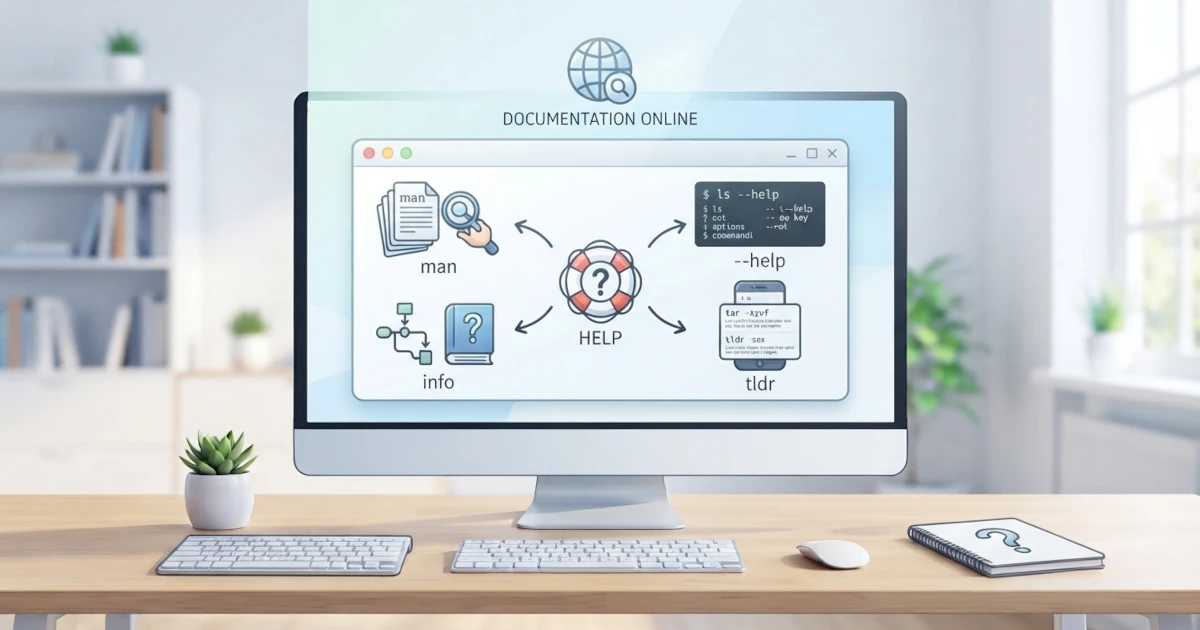
One of the most important skills we must acquire when learning Linux is the ability to seek help independently. Linux contains hundreds of commands, and it is almost impossible to memorize every single option and its functionality. The good news is that the help system in Linux is comprehensive and always available directly from the terminal. Ranging from manual pages that document every command in detail, the --help option for quick summaries, GNU documentation, to tldr which presents practical examples. This chapter will guide us through leveraging all these help resources so we never feel lost when facing an unfamiliar command. Even an experienced Sysadmin does not memorize every option for every command. The ability to search documentation quickly is precisely one of the skills that separates proficient Linux users from those who merely memorize step-by-step instructions.
17.1 man: Manual Pages
man stands for manual. This command displays official documentation pages for almost every command, configuration file, and concept in Linux. When we execute man followed by a command name, the terminal displays full documentation covering function descriptions, option lists, usage examples, up to the author of the program. This documentation comes pre-installed by default on both Ubuntu 26.04 LTS and Fedora Workstation 44, allowing it to be accessed without an internet connection.
man lsThe command above opens the manual page for the ls command. Manual pages are organized into several standard sections that remain consistent across all commands, including:
| Section | Content |
|---|---|
| NAME | Command name and a brief summary of its function |
| SYNOPSIS | General command invocation structure along with its options |
| DESCRIPTION | Detailed explanation of what the command does |
| OPTIONS | Complete list of options along with their explanations |
| EXAMPLES | Command usage examples (not always present) |
| SEE ALSO | References to related commands or documents |
17.1.1 Navigating in Man Pages
While inside a manual page, we cannot scroll using the mouse as usual. Manual pages utilize a pager named less, meaning navigation relies on keyboard keys. Here are the most frequently used keys:
| Key | Function |
|---|---|
Space or Page Down | Scroll down one screen |
b or Page Up | Scroll up one screen |
| ↑ and ↓ | Scroll one line |
/word | Search for a word downward |
n | Continue to the next search result |
N | Return to the previous search result |
g | Jump to the beginning of the page |
G | Jump to the end of the page |
h | Display navigation help |
q | Exit the manual page |
For example, if we want to search for the option to display file sizes in a human-readable format inside the ls manual page, we can type /human and press Enter. Press n repeatedly to jump to subsequent occurrences.
17.1.2 Sections in Man
Manual pages are grouped into several sections based on content categories. Occasionally, a single word refers to two different things in separate sections. As an example, the word passwd can refer to the passwd command (section 1) as well as the /etc/passwd configuration file (section 5). By default, man passwd displays the first section encountered. To open a specific section, we specify the section number before the command name.
man 5 passwdThe sections we encounter most frequently as desktop users are as follows:
| Section | Content |
|---|---|
| 1 | Commands executable by regular users |
| 5 | File formats and configuration files |
| 7 | Concepts, conventions, and miscellaneous topics |
| 8 | System administration commands (usually requiring sudo) |
17.1.3 Searching Man Pages with apropos and whatis
To search for manual pages related to a keyword without knowing the command name, use man -k or the apropos command. Both function identically, searching through all short descriptions (the NAME section) of every installed manual page.
man -k partition
apropos network
There is another command frequently used alongside apropos, which is whatis. While apropos searches for keywords across all short descriptions, whatis displays a single-line summary only for commands whose names we already know precisely:
whatis lsThis command prints a brief summary such as ls (1) - list directory contents, useful as a quick reminder before deciding whether we need to open its full manual page. In practice, Sysadmins also frequently use the combination man -k . | grep to filter the entire manual page index based on specific keywords, because the dot in the regex for man -k matches every description line installed on the system.
17.2 --help: Command Quick Help
Manual pages are indeed comprehensive, but sometimes we only need a quick list of options. Most commands from the GNU project (including almost all basic commands like ls, cp, and mv that we learned in the previous chapter) support the --help option, which prints a concise summary of command usage directly to the terminal. This option is far more concise than a manual page and is ideal for recalling option names.
ls --help
cp --help
The output of --help usually shows command usage instructions, a list of options in brief single lines, and several examples. Because it is concise, --help is often the first choice before opening a manual page, and for a Developer used to switching between programming languages and CLI tools, --help is typically the first reflex before reading full documentation. However, keep in mind that not all Linux commands support --help. This convention is most consistent in GNU coreutils commands, whereas some third-party programs might only support alternative options like -h. Additionally, --help is not as detailed as a manual page, so for an exhaustive explanation we still require man.
17.3 info: GNU Documentation
In addition to manual pages, the GNU project provides another documentation system called info. Info documentation tends to be longer and structured into interconnected nodes, making it suitable for reading complete guides. We can open info documentation using the info command followed by the program name.
info coreutilsInside info documentation, navigation is performed using the following keys:
| Key | Function |
|---|---|
n | Move to the next node |
p | Move to the previous node |
u | Move up to the parent node |
Enter | Follow the link at the cursor position |
q | Exit info documentation |
For most daily needs, manual pages and --help are sufficient. Info documentation is more useful when we want to study a GNU tool in depth, such as coreutils which houses foundational commands like ls, cp, and mv.
17.4 tldr: Practical Usage Examples
Manual pages can feel excessively long and technical, especially for beginners. This is where tldr comes into play. tldr stands for too long; didn't read, and its exact objective is to condense manual pages into practical usage examples that can be immediately executed. Rather than explaining every option, tldr displays a few of the most common commands alongside brief descriptions on a single screen.
tldr tarThe output of tldr tar displays examples such as how to create an archive, extract an archive, and so forth, complete with short notes beside them. This makes tldr a very convenient help resource for daily use. Note that tldr only shows the most common examples rather than a complete option list, so for more specific use cases or rarely used options we still need to refer back to man.
Unlike man and --help, tldr is not installed by default. The simplest way is to install it from the official repositories:
# on Ubuntu 26.04 LTS
sudo apt install tldr

# on Fedora Workstation 44
sudo dnf install tldr
Once installed, run tldr --update to update the example database before using it for the first time. The content of the tldr database is community-maintained via the tldr-pages project on GitHub, ensuring that presented examples remain concise and focused on real-world usage.
It is worth noting that several different tldr clients exist across the Linux ecosystem, ranging from Python clients, Node.js clients, to Rust-based clients like tealdeer and tlrc. These are separate projects rather than alternative names for the same tool, but they all read from the same tldr-pages community database, keeping output consistent. The versions available in apt/dnf repositories might occasionally be older than the latest releases on GitHub. If the repository default tldr command feels outdated or produces confusing errors, we can try alternative clients: the official Python client via pipx install tldr, or the Rust client tealdeer which is also available in official Ubuntu and Fedora repositories.
# tealdeer on Ubuntu 26.04 LTS
sudo apt install tealdeer

# tealdeer on Fedora Workstation 44
sudo dnf install tealdeer
Rust-based clients like tealdeer are generally faster because they do not depend on runtimes like Python or Node.js, making them ideal for scripts or workflows where execution speed matters.
17.5 Online Documentation
In addition to the help available directly in the terminal, various online documentation resources are accessible via web browsers. The following sources complement what is not covered in manual pages.
17.5.1 Ubuntu Documentation
Official Ubuntu documentation is now centralized at documentation.ubuntu.com, covering release guides, command-line references, networking, security, and server administration. The legacy site help.ubuntu.com, managed by the Ubuntu Documentation Project, remains active as a collection of community guides and additional desktop references.
For community support in the form of Q&A, note that Ubuntu Forums, the official Ubuntu forum running since 2004, began transitioning to Ubuntu Discourse (discourse.ubuntu.com, also known as community.ubuntu.com) in November 2024 and officially became read-only in January 2025. If we encounter older guides referencing Ubuntu Forums, be aware that those discussions now take place on Discourse or Ask Ubuntu (part of Stack Exchange).
17.5.2 Fedora Documentation
Fedora provides official documentation at docs.fedoraproject.org, including Fedora Workstation Documentation explaining desktop usage, software management, and system administration. This documentation is particularly useful for understanding behaviors specific to Fedora Workstation 44. For community support involving Q&A and discussions, Fedora centralizes its activities on Fedora Discussion (discussion.fedoraproject.org), which now also hosts the Ask Fedora Q&A forum.
17.5.3 ArchWiki
Although not owned by Ubuntu or Fedora, ArchWiki from Arch Linux is one of the most complete Linux knowledge bases on the internet. Because Linux shares core fundamentals across all distributions, explanations on ArchWiki often apply to Ubuntu and Fedora as well, particularly for low-level concepts such as system configuration, drivers, and troubleshooting. ArchWiki is worth using as a general reference for seeking deep technical understanding.
17.5.4 Stack Overflow and man7.org
For highly specific questions, Q&A communities like Stack Overflow provide solutions derived from user experiences. We can search existing answers before asking new questions. Meanwhile, man7.org is a project hosting online copies of Linux manual pages, making it easy to read man pages in a web browser or share links with others.
Once we master man (including apropos and whatis), --help, info, tldr, as well as online documentation resources, we have equipped ourselves with the ability to answer almost any question that arises while using Linux. The habit of checking help resources before asking others not only makes us more independent, but also builds a deeper understanding of how the system operates. From now on, whenever we encounter an unfamiliar command, make man or tldr your very first step.