
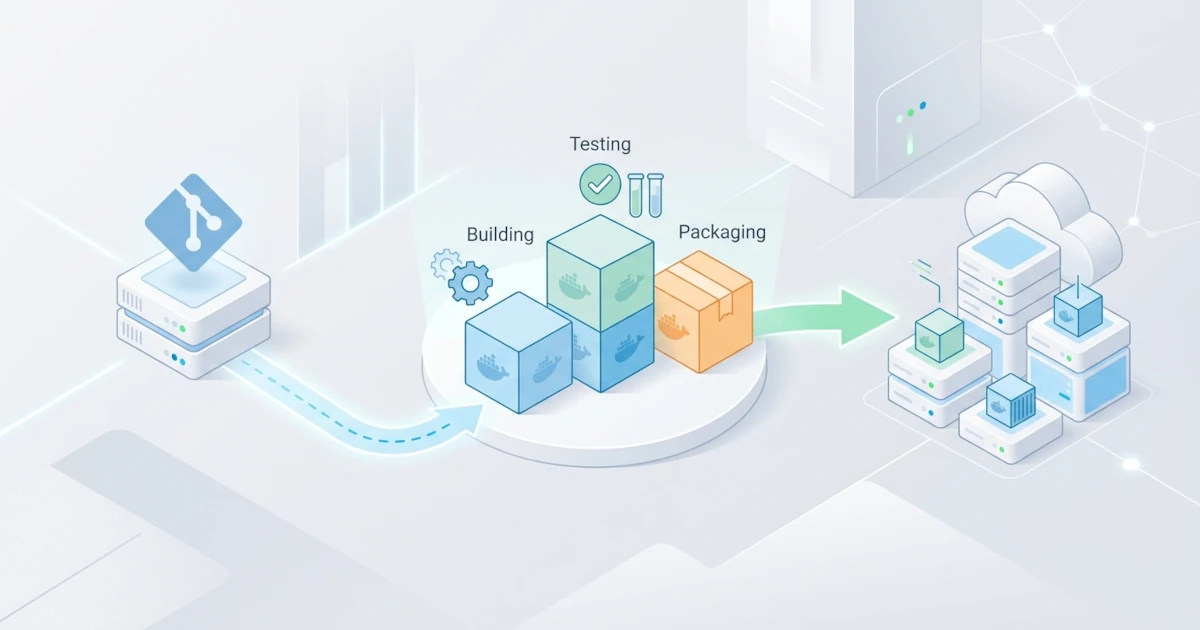
The concepts of automated builds, testing inside containers, registries, and deployment strategies were discussed individually in the CI/CD integration chapter. However, in practice, these four pieces rarely stand alone; Sysadmins/DevOps Engineers are tasked with wiring them into a single automated pipeline that runs from the first commit until the application actively serves production traffic, complete with a safe fallback path if a step fails along the way. This chapter covers a case study on assembling a complete CI/CD pipeline for a simple REST API application named notes-api, starting from preparing a cross-stage Dockerfile, setting up automated build and test workflows, managing phased deployments to staging and production with a manual approval gate, to monitoring post-deployment health and logging audit trails.
37.1 Pipeline Scenario and Architecture
notes-api is a simple Node.js and Express REST API for managing user notes, using PostgreSQL for data storage. The scenario in this case study uses GitHub Actions as the CI/CD platform, GitHub Container Registry (ghcr.io) as the image registry, and two separate servers running Docker Swarm as deployment targets: one for staging and one for production.
37.1.1 Pipeline Flow from Commit to Production
The pipeline in this case study flows through five sequential stages every time a push occurs on the main branch: build the image, run tests inside the container, push the image to the registry if tests pass, deploy automatically to staging, and deploy to production only after receiving manual approval from a Sysadmin/DevOps Engineer. This sequence is intentionally linear and phased, rather than deploying straight to production, so every code change passes through the staging environment first as a safety net before reaching actual users.
notes-api/
├── src/
│   ├── index.js
│   └── db.js
├── test/
│   └── notes.test.js
├── Dockerfile
├── compose.test.yaml
├── package.json
└── .github/
    └── workflows/
        └── pipeline.yaml
A single workflow file, .github/workflows/pipeline.yaml, holds all jobs from build to production deployment. This single-file approach was chosen so dependency flows between stages (using the needs keyword) remain easy to read in one place, rather than splitting them across multiple separate workflow files triggering one another.
37.1.2 Multi-Stage Dockerfile for Pipeline Requirements
The exact same Dockerfile is used across all pipeline stages, from testing to the final image deployed to production, ensuring no drift between the tested image and the image running in production. A multi-stage build isolates the test stage carrying development dependencies from the production stage containing only runtime dependencies.
FROM node:20-alpine AS base
WORKDIR /app
COPY package*.json ./
RUN npm ci

FROM base AS test
COPY . .
CMD ["npm", "test"]

FROM base AS production
COPY . .
RUN npm ci --omit=dev
HEALTHCHECK --interval=15s --timeout=3s --retries=3 \
  CMD wget -qO- http://localhost:3000/health || exit 1
EXPOSE 3000
CMD ["node", "src/index.js"]
Preparing the HEALTHCHECK instruction in the production stage early is crucial because its status is reused repeatedly during deployment and monitoring stages, not just as decoration. The /health endpoint in src/index.js simply returns a 200 status if the database connection is alive, a simple check sufficient to detect container conditions that are running but incapable of properly serving requests.
// src/index.js (snippet)
app.get("/health", async (req, res) => {
  try {
    await db.query("SELECT 1");
    res.sendStatus(200);
  } catch {
    res.sendStatus(503);
  }
});
37.2 Build Automation
The build stage in this pipeline generates a single identical image used across testing, staging, and production stages, tagged with the commit hash so every image traces back to the exact line of code that produced it.
37.2.1 Build Job with Commit SHA-Based Tagging
The build job uses docker/build-push-action to build the image and prepare it for pushing to the registry in the next stage, avoiding pushing directly in this job so image building and testing remain clearly separated from image distribution.
name: Pipeline notes-api

on:
  push:
    branches: [main]

env:
  IMAGE: ghcr.io/${{ github.repository }}

jobs:
  build:
    runs-on: ubuntu-latest
    steps:
      - uses: actions/checkout@v4

      - uses: docker/setup-buildx-action@v3

      - name: Build target production image
        uses: docker/build-push-action@v6
        with:
          context: .
          target: production
          push: false
          load: true
          tags: ${{ env.IMAGE }}:${{ github.sha }}
          cache-from: type=gha
          cache-to: type=gha,mode=max

      - name: Save image as artifact
        run: docker save ${{ env.IMAGE }}:${{ github.sha }} -o image.tar

      - uses: actions/upload-artifact@v4
        with:
          name: notes-api-image
          path: image.tar
The load: true option loads the build output directly into the runner's Docker daemon so the image can be reused with standard docker commands in subsequent steps (such as docker save), following official docker/build-push-action documentation stating this option cannot be used alongside multi-platform builds. The built image is stored as an artifact via docker save and actions/upload-artifact, allowing subsequent test and push jobs to reload the exact same image using docker load, rather than rebuilding from scratch and risking slight image variations.
37.2.2 Reusing Production Images Across Jobs via Artifacts
Every job in GitHub Actions runs by default on an isolated, clean runner, meaning the image generated by docker build in the build job is not automatically available in other jobs unless explicitly transferred. The job pushing the image to the registry retrieves the artifact using actions/download-artifact and docker load, eliminating the need to rebuild the production image from scratch.
  push:
    runs-on: ubuntu-latest
    steps:
      - uses: actions/download-artifact@v4
        with:
          name: notes-api-image

      - name: Load image from artifact
        run: docker load -i image.tar
This pattern guarantees the image pushed to the registry and eventually deployed is bit-for-bit identical to what left the build job, avoiding rebuilds in any subsequent job and eliminating gaps where different images emerge from variations in cache conditions or base image versions between runs. The test and integration-test jobs in the following section intentionally skip using this artifact because both require an image built from the test stage of the Dockerfile containing development dependencies such as test runners, content excluded from the production stage image to keep production images lean. The source code remains identical because both stages build from the same checked-out commit, making this distinction purely about image contents rather than the tested application code.
37.3 Test Automation
Passing a build does not guarantee functional correctness; thus, the pipeline requires an automated test gate to halt the entire process early upon detecting regressions, before pushing the image to a registry or deploying to any environment.
37.3.1 In-Container Unit Testing
The test job builds the test stage of the Dockerfile directly from checked-out code, separate from the production image built in the build job, because the test stage explicitly carries development dependencies like test runners omitted from the production image.
  test:
    needs: build
    runs-on: ubuntu-latest
    steps:
      - uses: actions/checkout@v4

      - uses: docker/setup-buildx-action@v3

      - name: Build target test
        uses: docker/build-push-action@v6
        with:
          context: .
          target: test
          push: false
          load: true
          tags: ${{ env.IMAGE }}:test

      - name: Run unit tests
        run: docker run --rm ${{ env.IMAGE }}:test
needs: build here strictly enforces execution order rather than image sharing, ensuring the test job runs only after verifying the production image builds successfully. If npm test inside the container returns a non-zero exit code, docker run passes that exit code along, causing GitHub Actions to automatically mark the step as failed and cancel subsequent dependent jobs linked via needs.
37.3.2 Integration Testing with a Database using Compose
notes-api requires a real database connection for integration testing rather than mocks, ensuring written SQL queries execute correctly against the target schema. Configure compose.test.yaml to supply an ephemeral PostgreSQL instance for testing.
services:
  app:
    image: ghcr.io/OWNER/notes-api:test
    command: npm run test:integration
    environment:
      DATABASE_URL: postgres://postgres:postgres@db:5432/notesdb
    depends_on:
      db:
        condition: service_healthy

  db:
    image: postgres:16
    environment:
      POSTGRES_PASSWORD: postgres
      POSTGRES_DB: notesdb
    healthcheck:
      test: ["CMD-SHELL", "pg_isready -U postgres"]
      interval: 5s
      timeout: 3s
      retries: 5
Replace OWNER in image: ghcr.io/OWNER/notes-api:test with the actual account or organization owning the repository, keeping it identical to ${{ env.IMAGE }} used in the workflow file. Add an integration-test job that rebuilds the test stage image with the tag referenced by compose.test.yaml, running the complete test stack via a single command. The test stage image is rebuilt here rather than shared from the previous test job because GitHub Actions jobs execute on separate runners; layer caching via type=gha keeps this rebuild fast.
  integration-test:
    needs: build
    runs-on: ubuntu-latest
    steps:
      - uses: actions/checkout@v4

      - uses: docker/setup-buildx-action@v3

      - name: Build target test
        uses: docker/build-push-action@v6
        with:
          context: .
          target: test
          push: false
          load: true
          tags: ${{ env.IMAGE }}:test
          cache-from: type=gha

      - name: Run integration tests
        run: docker compose -f compose.test.yaml up --abort-on-container-exit --exit-code-from app

      - name: Clean up test containers and volumes
        if: always()
        run: docker compose -f compose.test.yaml down --volumes
The if: always() condition on the cleanup step ensures test containers and volumes are removed even if preceding steps fail, preventing GitHub Actions runners (which are ephemeral per run) from leaving lingering processes. The push job pushing the image to the registry in the next section proceeds only after both test and integration-test succeed, configured via needs: [test, integration-test].
37.4 Deployment Automation
Images passing all tests are ready for registry pushing and deployment, but production deployments must not run automatically without safety controls. This section establishes phased deployments: automated to staging, and manual-approval-gated to production.
37.4.1 Image Push and Automated Staging Deployment
The push job sends tested images to ghcr.io, after which deploy-staging automatically pulls the image to the staging server without requiring manual intervention, as staging serves as a low-risk testing ground.
  push:
    needs: [test, integration-test]
    runs-on: ubuntu-latest
    steps:
      - uses: actions/download-artifact@v4
        with:
          name: notes-api-image

      - run: docker load -i image.tar

      - uses: docker/login-action@v3
        with:
          registry: ghcr.io
          username: ${{ github.actor }}
          password: ${{ secrets.GITHUB_TOKEN }}

      - run: docker push ${{ env.IMAGE }}:${{ github.sha }}

  deploy-staging:
    needs: push
    runs-on: ubuntu-latest
    steps:
      - name: Deploy to staging
        uses: appleboy/ssh-action@v1
        with:
          host: ${{ secrets.STAGING_HOST }}
          username: ${{ secrets.STAGING_USER }}
          key: ${{ secrets.STAGING_SSH_KEY }}
          script: |
            docker service update --image ghcr.io/${{ github.repository }}:${{ github.sha }} notes-api-staging
The staging server in this scenario runs Docker Swarm with a pre-existing notes-api-staging service created via docker service create, enabling this job to update its image using docker service update. Credentials STAGING_HOST, STAGING_USER, and STAGING_SSH_KEY are stored as encrypted secrets in repository settings rather than hardcoded in the workflow file.
37.4.2 Production Deployment with Manual Approval Gate
The deploy-production job leverages GitHub Actions environments to pause the pipeline for manual approval before modifying production servers. Enable this by registering an environment named production in repository settings (Settings > Environments) and enabling Required reviewers, following official GitHub documentation on deployment environments.
  deploy-production:
    needs: deploy-staging
    runs-on: ubuntu-latest
    environment: production
    concurrency:
      group: deploy-production
      cancel-in-progress: false
    steps:
      - name: Deploy to production
        uses: appleboy/ssh-action@v1
        with:
          host: ${{ secrets.PROD_HOST }}
          username: ${{ secrets.PROD_USER }}
          key: ${{ secrets.PROD_SSH_KEY }}
          script: |
            docker service update --image ghcr.io/${{ github.repository }}:${{ github.sha }} notes-api
Upon reaching this job, the pipeline pauses in a pending state, requiring a reviewer designated in the production environment to click Approve via the Actions tab on GitHub before actual deployment steps execute. The concurrency block with cancel-in-progress: false prevents overlapping pipeline runs from simultaneously deploying to production; the second run queues behind the first rather than cancelling it, matching GitHub Actions concurrency documentation.
37.4.3 Automatic Rollback on Failed Deployments
A successfully issued update command does not guarantee application health; misconfigured images may deploy successfully yet immediately enter a crash loop upon receiving traffic. Add verification steps following docker service update to monitor Swarm task states, triggering automatic rollbacks via docker service rollback if services fail to reach a healthy state. Append the script below immediately after the docker service update line in both deploy-staging (updating service name to notes-api-staging) and deploy-production jobs.
            docker service update --image ghcr.io/${{ github.repository }}:${{ github.sha }} notes-api

            for i in $(seq 1 10); do
              RUNNING=$(docker service ps notes-api --filter "desired-state=running" --format "{{.CurrentState}}" | grep -c "Running")
              if [ "$RUNNING" -ge 1 ]; then
                echo "Service healthy, Running task detected"
                exit 0
              fi
              sleep 5
            done

            echo "New task failed to reach Running state, rolling back to previous version"
            docker service rollback notes-api
            exit 1
docker service rollback reverts the service to its previous specification automatically captured by Swarm during docker service update execution, per official Docker CLI reference specifications. The script allows a window of roughly 50 seconds (10 retries at 5-second intervals) for new tasks to reach Running status before marking them as failed; adjust this value based on application startup times, as applications requiring longer initialization (e.g., executing database migrations) may false-trigger failures during normal startup. exit 1 on the final line marks the GitHub Actions job as failed upon rollback, preventing silent failures where aborted deployments are reported as successful.
37.5 Pipeline Monitoring and Logging
A pipeline completing without errors does not confirm end users are receiving a functional application. This section concludes the case study by ensuring deployment results are actively verified and logged, rather than ending execution immediately after docker service update completes.
37.5.1 Post-Deployment Smoke Testing
Add a smoke test step immediately following the rollback guard in both deploy-staging and deploy-production jobs, querying public endpoints via curl to verify application reachability externally beyond internal Swarm task states.
curl -f --retry 5 --retry-delay 5 https://staging.notes-api.example.com/health curl -f --retry 5 --retry-delay 5 https://notes-api.example.com/healthPlace the first line in deploy-staging and the second in deploy-production, pointing to their respective environment domains. This step is critical because a Running task status in Swarm only indicates the container process did not crash instantly, not that HTTP requests are successfully routed and processed. The -f flag forces curl to exit with a non-zero status on HTTP error codes (400+), causing smoke test failures in deploy-staging to fail the job and prevent faulty images from reaching production approval gates, while failures in deploy-production mark the production deployment as failed even after Swarm rollback completes.
37.5.2 Pipeline Status Notifications
Sysadmins/DevOps Engineers tasked with approving production deployments require notifications when pipelines await approval, avoiding manual polling of the Actions tab. Add Slack webhook notification steps at the end of the deploy-staging job, using if: always() to run regardless of prior job outcomes.
      - name: Send notification to Slack
        if: always()
        run: |
          STATUS="${{ job.status }}"
          curl -X POST -H "Content-Type: application/json" \
            -d "{\"text\": \"Deploy staging notes-api commit ${{ github.sha }}: ${STATUS}. Awaiting production approval.\"}" \
            ${{ secrets.SLACK_WEBHOOK_URL }}
Store secrets.SLACK_WEBHOOK_URL as an encrypted secret rather than hardcoding it in workflow files, as leaked webhook URLs allow unauthorized parties to post spoofed pipeline messages. Replicate this notification pattern at the end of deploy-production, altering the text payload to notify teams of successful production deployments or rollbacks caused by failed smoke tests.
37.5.3 Maintaining Deployment Audit Logs
Incident response teams often need clear answers to key operational questions: which commit is currently active in production, and precisely when was it deployed? Append a logging step targeting a centralized log file on the production server, executing immediately after successful smoke tests.
            echo "$(date -u +%Y-%m-%dT%H:%M:%SZ) deploy sha=${{ github.sha }} by=${{ github.actor }}" \
              >> /var/log/notes-api-deployments.log
Consistently capturing basic logs across deployments provides a primary reference point when tracing regressions, correlating issue onset times with recent deployment entries. For broader observability—such as tracking real-time latency, error rates, or aggregating multi-container logs centrally—this pipeline can integrate with observability stacks using Prometheus, Grafana, and Loki covered in dedicated chapters. Simple file-based deployment logs maintain value as a lightweight, independent audit trail regardless of full observability stack availability.