
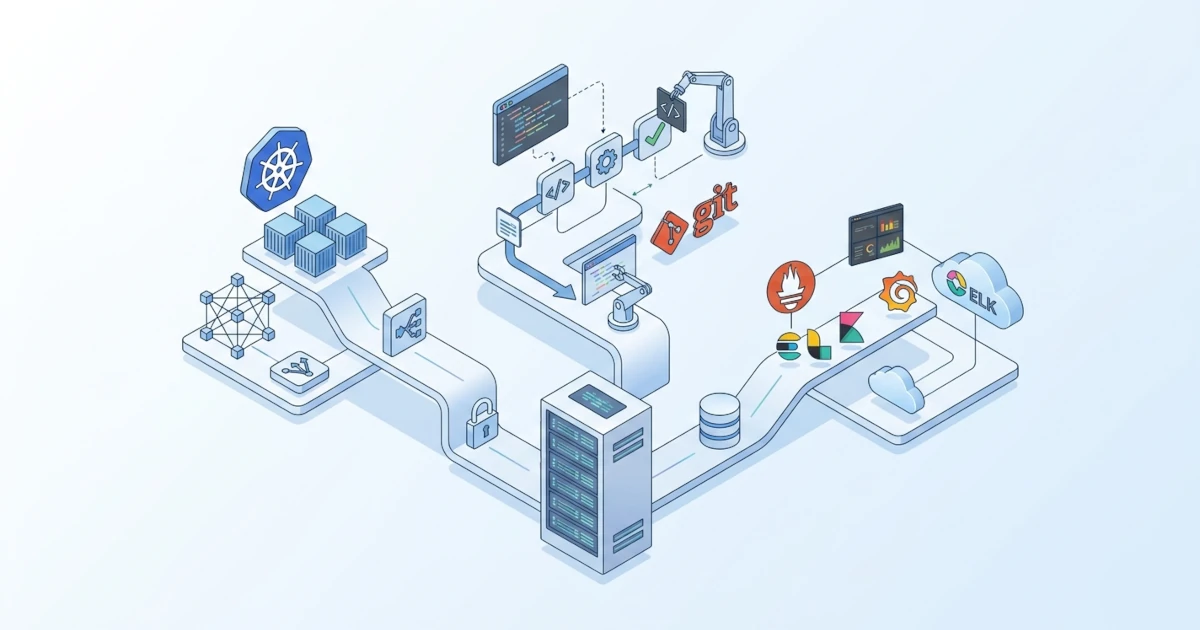
The demo-node incident on app01 in Chapter 43 was finally resolved not because of a single magic command, but because several pieces of knowledge accumulated since the beginning of this series were used together on the same night: the systemd unit from Chapter 5, log mapping and journalctl from Chapter 39, the CI/CD pipeline and rollback mechanism from Chapter 42, unified by the systematic troubleshooting framework in Chapter 43 itself. The rollback was executed, the service returned to active (running), and the Developer could continue working. Moments like that are actually the ultimate goal of all the material covered, namely the ability to connect separate pieces of knowledge into a cohesive solution under real pressure.
Chapter 1 started from the most basic question: what distinguishes a server from the desktop familiar from Linux 101. Forty-three chapters later, that question has been answered through practice, not just definitions. This concluding chapter has four objectives. First, to summarize the eleven sections already covered so that all the pieces can be seen as a unified map. Second, to map out the career paths that open up once Linux server administration competence is mastered. Third, to highlight four advanced areas of further study that are most relevant as next steps. Fourth, to close with community and learning resources that can still be relied upon long after the last page of this series has been read.
44.1 From Desktop to Server Administrator: Recapping the Journey
44.1.1 Starting Point: The Server as a Work Environment Different from the Desktop
Chapter 1 of this series opened with a single premise: managing a server is not merely running the same commands as on a desktop without a GUI. A server demands a different mindset, because every configuration change has the potential to disconnect access for hundreds or thousands of Users at once, not just disrupt a single personal session. Priorities shift completely: uptime replaces visual convenience, long-term stability replaces the latest features, and every change should ideally be consistently repeatable, rather than the result of manual clicking that is difficult to document.
The eleven sections following that premise were not arranged at random. Their order intentionally follows a logical learning path for a novice Sysadmin: starting from system foundations, expanding into networking, moving on to services actually used daily by Users and Developers, before finally entering the security and automation layers that tie everything together into a reliable operation.
44.1.2 The Eleven-Part Map: From Installation to Deployment
The following table summarizes the core competencies built in each section of this series, while serving as a quick reference when needing to recall in which chapter a topic was previously discussed.
| Section | Chapters | Core Competencies |
|---|---|---|
| I. From Desktop to Server | 1-3 | Installation of Ubuntu Server 26.04 LTS, SSH access as the primary administration gateway |
| II. Advanced System Management | 4-7 | Users and cross-role access, custom systemd units, package management, LVM and RAID |
| III. Server Networking | 8-11 | Netplan, DNS with BIND9, DHCP, time synchronization with chrony |
| IV. Web Services | 12-17 | Nginx, Apache, PHP-FPM, Node.js, reverse proxy and load balancing, TLS with Let's Encrypt |
| V. Database Servers | 18-23 | PostgreSQL, MySQL, MariaDB, MongoDB, database management web UIs, backup and restore |
| VI. File Sharing and Network Storage | 24-25 | Cross-platform Samba, NFS between Linux systems |
| VII. Virtualization and Containerization | 26-29 | Docker, Docker Compose, KVM/QEMU, LXD |
| VIII. Server Security | 30-34 | Hardening, firewall (iptables, UFW, nftables), Fail2ban, AppArmor, basic auditing |
| IX. Automation and Infrastructure as Code | 35-37 | Shell scripting, Ansible, cloud-init |
| X. Monitoring, Logging, and Backup | 38-40 | Netdata, Prometheus/Grafana, rsyslog, 3-2-1 backup strategy |
| XI. Cloud and Deployment | 41-42 | Ubuntu Server in the cloud, CI/CD fundamentals |
| Conclusion | 43 | Systematic troubleshooting in production environments |
The demo-node scenario that recurred starting in Chapter 15 is the clearest example of how these sections stack upon one another rather than standing in isolation. That application was first run as a systemd service in Chapter 15, became a managed node handled by Ansible in Chapter 36, received a full CI/CD pipeline with release-based and symlink deployment patterns in Chapter 42, and was then diagnosed and restored through the troubleshooting framework in Chapter 43. A single small application was used as a common thread proving that every section of this series directly connects to daily Sysadmin work, rather than being standalone exercises forgotten as soon as the next chapter begins.
44.2 Career Paths After Mastering Linux Server Administration
44.2.1 System Administrator: The Role Practiced Throughout This Series
System Administrator (Sysadmin) is the role most directly trained by the entirety of this series: managing servers, keeping services running, handling basic security, and responding to incidents as practiced in Chapter 43. In many companies, especially small to medium-sized ones, a single Sysadmin holds broad responsibilities ranging from networking and databases to backups, matching the scope of these eleven sections. In larger organizations, these same responsibilities are usually split across several specialized roles, three of which are discussed in the following section.
44.2.2 DevOps Engineer, Site Reliability Engineer, and Cloud Engineer: Advanced Specializations
The boundaries between DevOps Engineer, Site Reliability Engineer (SRE), and Cloud Engineer vary across companies, and all three often overlap in real-world practice. Nevertheless, there are general patterns regarding the primary focus of each role, summarized in the following table alongside the relevant foundations from this series.
| Role | Primary Focus | Foundations from This Series |
|---|---|---|
| DevOps Engineer | Bridging Development and Operations teams, building and maintaining CI/CD pipelines so code releases run quickly and consistently | Chapters 35-37 (automation, Ansible, cloud-init), Chapter 42 (CI/CD) |
| Site Reliability Engineer | Maintaining large-scale system reliability through data-driven approaches (error budgets, service level objectives), often coming from a software engineering background | Chapters 38-40 (monitoring, logging, backup), Chapter 43 (systematic troubleshooting) |
| Cloud Engineer | Designing and managing infrastructure on cloud providers such as AWS, Azure, or GCP, including virtual networks and operational costs | Chapter 41 (Ubuntu Server in the cloud), Chapters 26-29 (containers and virtualization) |
An honest observation from the field: job titles are frequently used loosely by different companies, meaning a position titled "DevOps Engineer" at one workplace might involve responsibilities nearly identical to a Sysadmin elsewhere. The competencies built across the eleven sections of this series remain a relevant foundation for all three roles, regardless of the specific title on a job posting.
44.3 Advanced Deep-Dive Areas
The following four areas were intentionally not covered in depth in this series because each is broad enough to warrant its own separate series. This section introduces their core concepts and shows how they connect to what has already been mastered, ensuring subsequent learning steps feel like a natural continuation rather than starting completely from scratch.
44.3.1 Kubernetes and Large-Scale Container Orchestration
Kubernetes is an orchestration platform for running and managing large numbers of containers across multiple servers simultaneously. Originally developed by Google, it has become the industry standard for large-scale container deployments. Docker in Chapters 26-27 addressed how to run one or several containers on a single server, whereas Kubernetes answers a much larger question: how to run hundreds of containers distributed across dozens of servers, while automatically recovering when a server fails and scaling capacity when traffic spikes.
The concepts of cluster, node, and pod in Kubernetes will be much easier to grasp after mastering container foundations in Chapter 26 and load balancing concepts in Chapter 16, because Kubernetes essentially automates those two aspects on a much larger scale. Major cloud providers offer managed Kubernetes services such as Amazon EKS, Google GKE, and Azure AKS, while lightweight options like minikube or k3s are suitable for local learning and experimentation before transitioning to production environments.
44.3.2 Advanced Infrastructure as Code with Terraform
Chapter 36 introduced Infrastructure as Code through Ansible, but Ansible operates imperatively by executing a specific sequence of steps to achieve a desired state. Terraform, created by HashiCorp, takes a declarative approach: you describe the desired end-state of the infrastructure, such as requiring three virtual machines and one load balancer, and Terraform calculates the necessary steps to achieve it, including detecting when the current state diverges from what was recorded.
These differing approaches mean both are often used side-by-side rather than replacing one another: Terraform provisions the infrastructure (virtual machines, networks, storage), and Ansible configures what runs inside them, a pattern serving as a natural extension of cloud-init in Chapter 37. A key concept to master early when learning Terraform is the state file, which tracks the infrastructure state managed by Terraform, as mishandling the state file is one of the most common sources of issues for beginners.
44.3.3 Advanced Observability: ELK/EFK Stack
Chapter 39 covered rsyslog for forwarding logs to a centralized server, suitable for small to medium-scale infrastructure. As server counts grow and log volumes explode, searching for a specific error line through manual grep commands across multiple files becomes impractical. The ELK Stack (Elasticsearch, Logstash, Kibana) was designed specifically for this challenge: Elasticsearch stores and indexes large volumes of logs for rapid searching, Logstash processes and filters logs before ingestion, and Kibana provides a visual dashboard to explore the data.
The EFK Stack is a variation that replaces Logstash with Fluentd, a Cloud Native Computing Foundation project that is lighter and more commonly used in container-based environments like Kubernetes. Both stacks address the same core question as Section 43.2 in the previous chapter--which logs to inspect to find the root cause--but at a vastly larger data scale and with full-text search capabilities exceeding standard journalctl and grep combinations.
44.3.4 Certifications: LFCS, RHCSA, and CompTIA Linux+
Certifications do not replace hands-on experience, but they serve as a formal validation of skills, particularly for entry-level Sysadmins without extensive work experience to showcase to prospective employers. The following three certifications are most relevant for building upon the competencies developed in this series.
| Certification | Issuer | Characteristics |
|---|---|---|
| LFCS (Linux Foundation Certified System Administrator) | Linux Foundation | Vendor-neutral, practical performance-based exam in a terminal, covering core administrative tasks aligned with most of this series |
| RHCSA (Red Hat Certified System Administrator) | Red Hat | Focuses on Red Hat Enterprise Linux, practical performance-based exam, highly regarded in enterprise environments despite minor command and tool differences from Ubuntu (e.g., firewalld vs UFW from Chapter 31) |
| CompTIA Linux+ | CompTIA | Vendor-neutral, covers multiple Linux distributions, suitable as an entry-to-intermediate level certification with broader coverage than LFCS |
For those whose primary foundation is Ubuntu, LFCS is generally the most aligned choice due to its cross-distribution nature and practical hands-on format. RHCSA remains a strong consideration for those targeting enterprises with Red Hat-based infrastructure, with the understanding that certain technical details must be adapted due to tool and convention differences from what was practiced throughout this series.
44.4 Community and Continuous Learning Resources
44.4.1 Ubuntu Server Guide and Official Discourse
The Ubuntu Server Guide at documentation.ubuntu.com/server is the official documentation referenced throughout this series whenever an authoritative technical source was required. This documentation is continuously updated alongside new Ubuntu releases, making it the primary resource when encountering new features or changes in default behavior not covered in this series.
The Ubuntu Discourse at discourse.ubuntu.com is the official community forum where technical discussions take place among users, contributors, and Ubuntu developers, including official announcements regarding releases and support policy updates. Unlike Ask Ubuntu, referenced in Section 43.4.2 for specific troubleshooting queries, Discourse is better suited for following the development direction of Ubuntu itself, including design decisions like the migration to sudo-rs mentioned in Chapter 1.
44.4.2 Server Fault and r/linuxadmin: Learning from Real-World Cases
Server Fault and the subreddit r/linuxadmin were mentioned in Section 43.4.2 as resources for assistance during ongoing incidents. Outside of active troubleshooting, both platforms are equally valuable for continuous learning by regularly reading queries and discussions, rather than visiting only when seeking answers. Recurring problem patterns in these forums, such as firewall misconfigurations or database connection leaks, mirror scenarios practiced in Chapter 43. Reading them in advance builds familiarity with potential solutions before similar issues occur on your own servers.
An equally beneficial practice, often overlooked by beginner Sysadmins, is participating by answering questions once confident in a topic. Explaining solutions to others elevates understanding from simply knowing how to run a command to truly understanding why it works--a deeper level of comprehension that represents the primary goal of this entire series.
The forty-four chapters covered are not the end of the learning process, but a solid foundation for working independently in the field while advancing into specialized areas based on interest, whether Kubernetes, Terraform, certification paths, or a combination thereof. Production servers will continue to present novel challenges, much like the demo-node incident that opened Chapter 43. The structured mindset and habits formed throughout this series will remain a reliable guide when addressing whatever issues arise next.